Lab Report - Week 6
For this lab report we will se how to Streamline ssh Configuration:
Everytime we want to access the remote server we have to type the command ssh followed by our username in the form ‘cse15lwi22zz@ieng6.ucsd.edu’. This is a long typing, so to make it more efficient we configure ssh in order to only access by doing ssh ieng6.
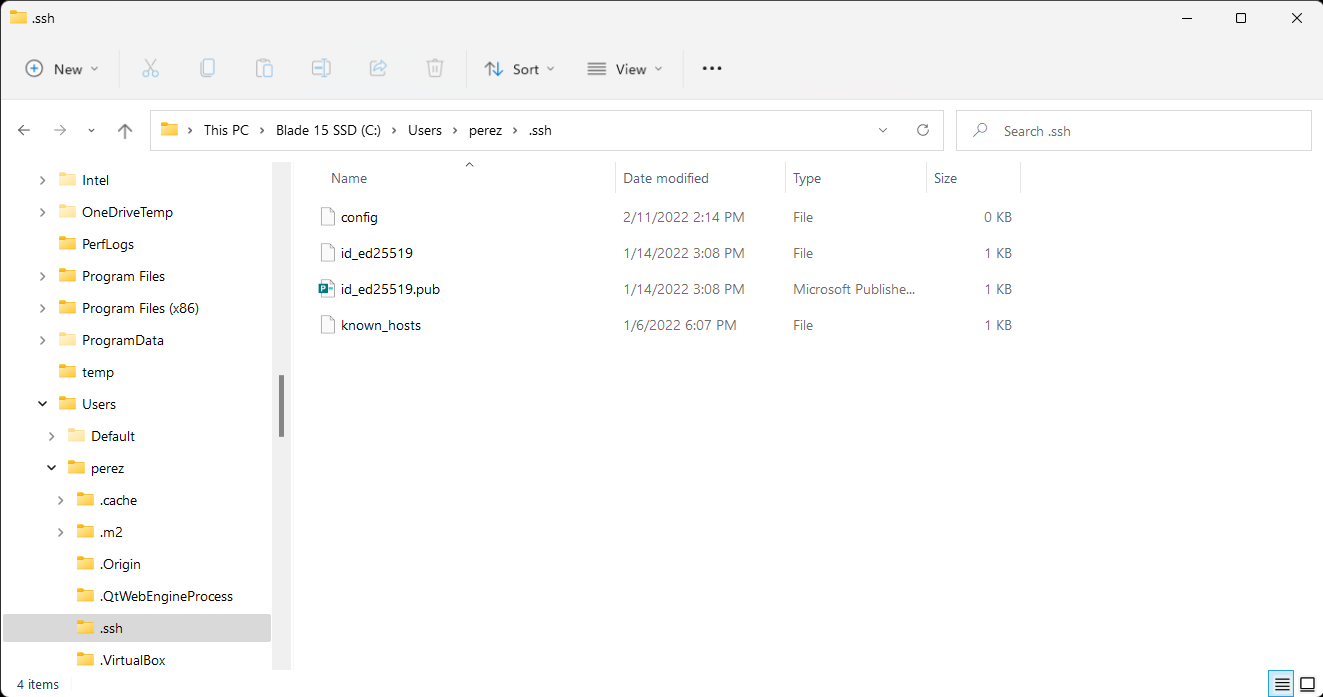
Firts we have to find our .shh folder in our computer to acces our keys:
Usually this can be found by going to your main storage unit > Users > the user you want > .ssh
After this, we create a new file called config without any extension.
For the second step we will configure the config file:
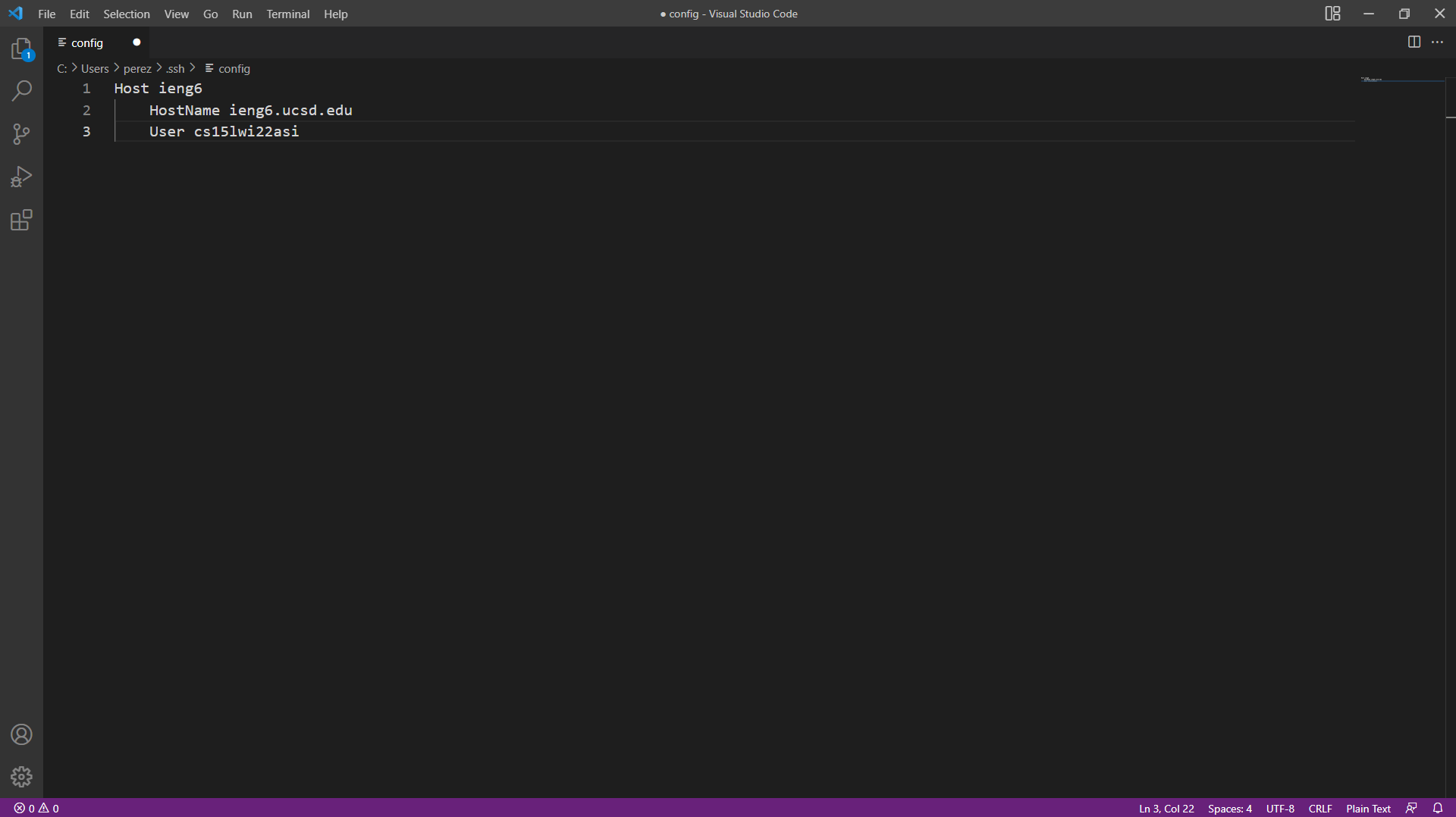
We open the config file in VScode and type the following and save it:
Host ieng6
    HostName ieng6.ucsd.edu
    User (your username in form cs15lwi22zz)
For the third step just try to connect to the server using ssh ieng6:
The next should appear meaning that you connected successfuly:
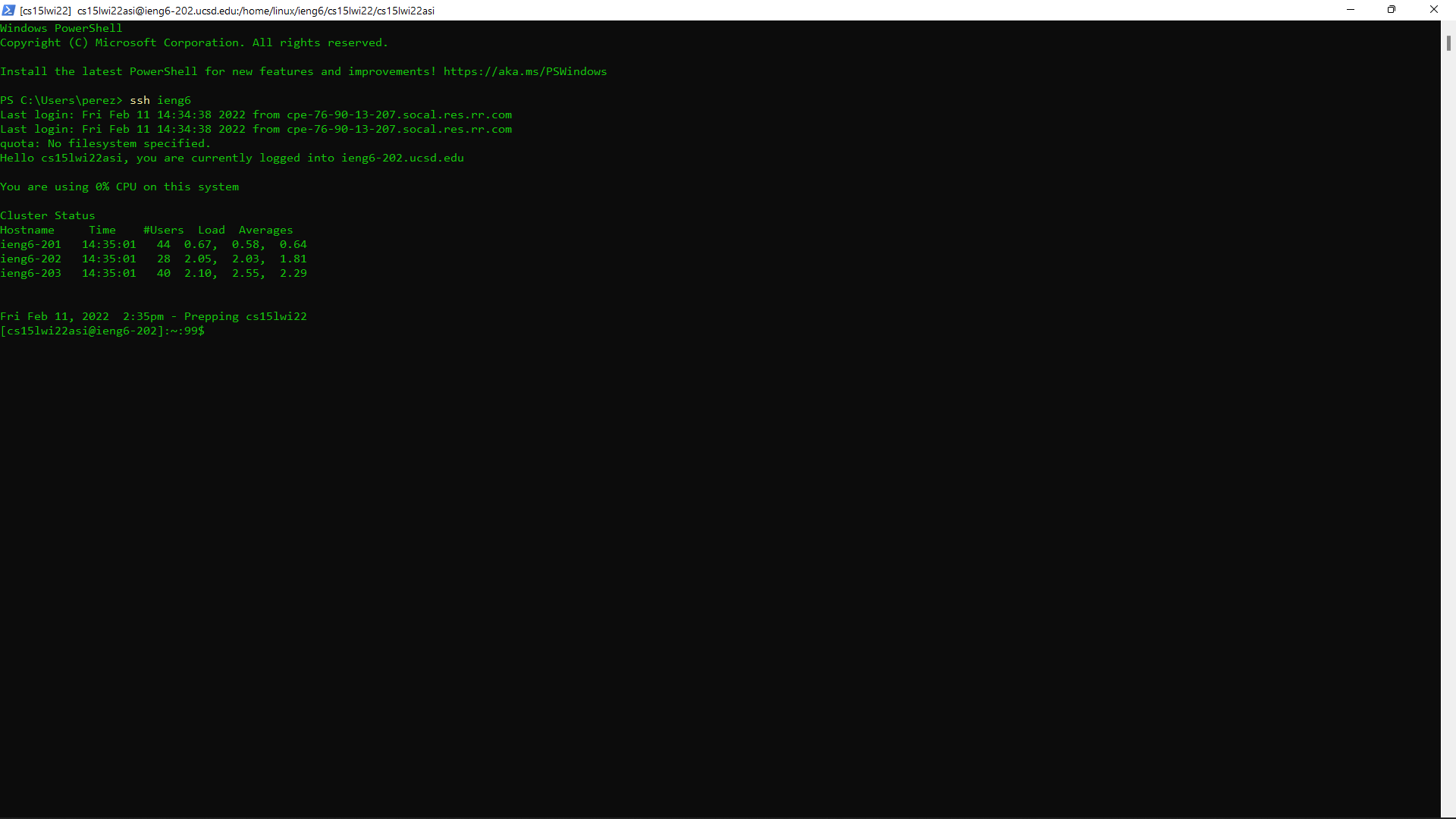
note that ieng6 can be changed for any other word to log in.
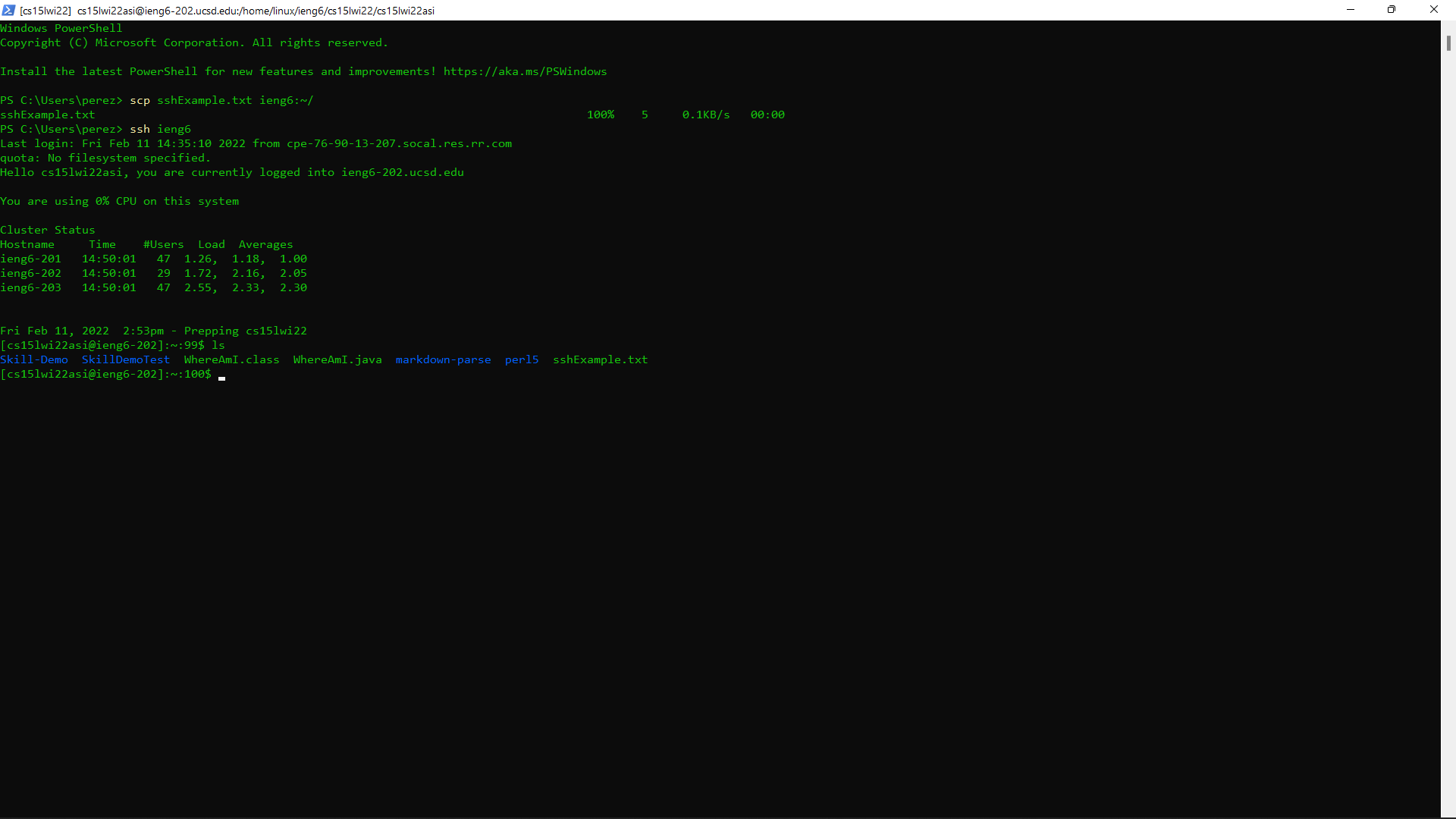
Thanks to this configuration, we can also do this for scp. Just use scp (filename) ieng6:~/ and it should copy the file to the server.